
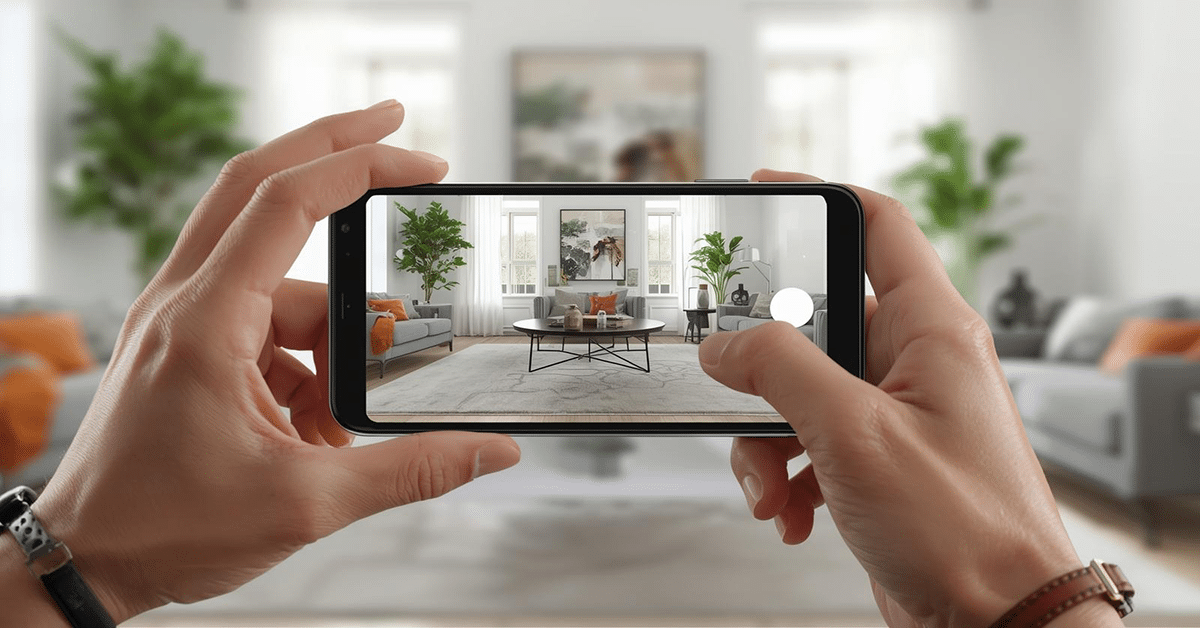
Augmented reality marker elements are an important component of this immersive technology. Augmented reality (AR) operates by placing digital elements into your environment. An AR marker is a reference point for the system that helps it determine the orientation and position of that data. The marker can anchor digital elements in the physical world.
In this article, you’ll learn about AR markers to find out how they work, what they can do for you, and how to best integrate them into targeted AR experiences.
Table of Contents:
- What Are AR Markers and How Do They Work?
- Why AR Markers Are Important?
- Types of AR Markers You Should Know
- Marker-Based AR vs Markerless AR
- 8 Popular Marker-Based AR Apps
- Benefits of Using AR Markers in Your Applications
- Best Practices for Implementing AR Markers in Your Projects
- Augmented Reality Printing: How to Bring Static Content to Life?
- Augmented Reality Builder Options; Building Your Digital Dreams
What Are AR Markers and How Do They Work?
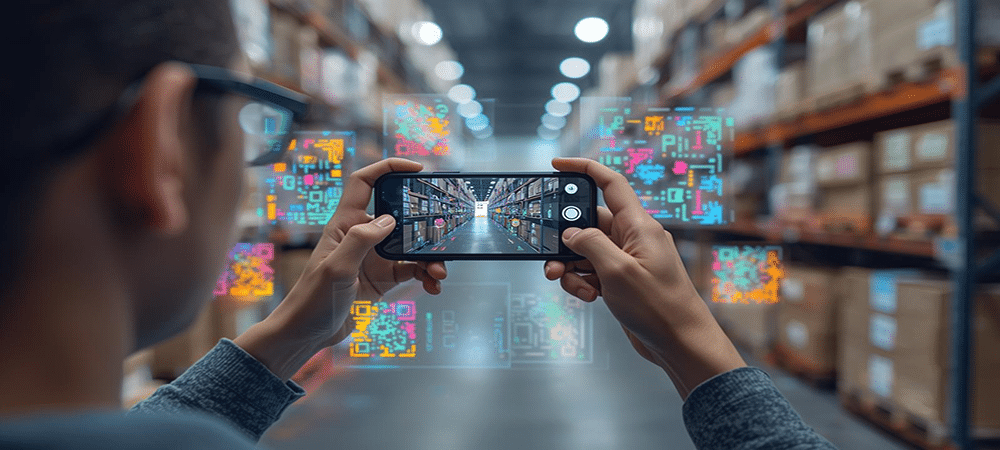
Augmented reality marker elements usually look like a QR code or a similar pattern. However, an AR marker can have any design. The marker simply needs to be high contrast enough for a camera to recognize and unique enough to avoid false positives.
When an AR-enabled device detects an AR visual marker, it can read its encoded data to position digital elements around it. This process ensures digital content can remain anchored in place even if a room’s lighting shifts or the user’s viewing perspective changes. In contrast, markerless AR needs to rely on static environmental features.
If you want to learn more about augmented reality, read “Augmented Reality; Learn About AR Tech, Use Cases, Devices, and More!”
Video: Marker-Based AR Explained
Why AR Markers Are Important?
The significance of AR marker technology is largely due to the issue of spatial awareness. While markerless AR does exist, the need to carefully track environmental details is computationally heavy and typically requires specialized equipment. An augmented reality marker provides a pre-defined, unique reference point for AR systems.
This helps AR apps and reduces the computational load so that they can be used on phones, tablets, and other devices that users already own. The reduced hardware requirements provided by markers mean that almost everyone can jump into the world of immersive technology through AR. People simply need to use their phone or tablet to get started, with no need to go out and buy specialized equipment.
Types of AR Markers You Should Know
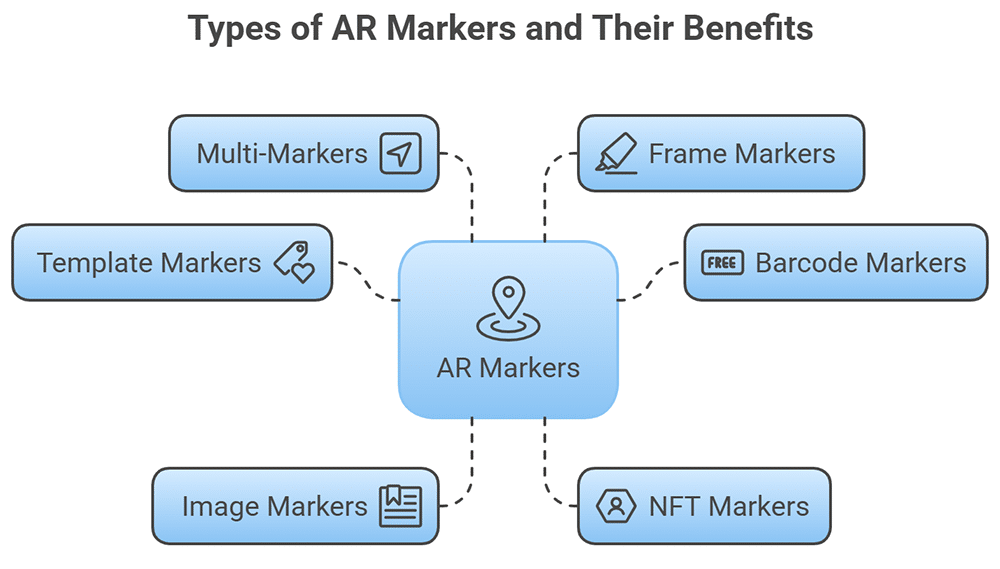
There are several types of AR markers to choose from. Each of the following provides specific benefits.
- Template Markers: Consists of bordered, simple, black-and-white patterns that are easy for an AR system’s camera to recognize.
- Barcode Markers: Encode information into specific patterns, much like QR codes, and are commonly used for robotics and displays.
- Image Markers: This AR tracking marker looks like a normal picture, and that visual appeal makes it a good match for printed media and museums.
- NFT (Nature Feature Tracking) Markers: Instead of a specific pattern, this flexible marker uses unique parts of natural images, which allows for standard brand logos.
- Multi-Markers: An arrangement of several markers that enables expansive, complex, spatial positioning and more immersive AR experiences.
- Frame Markers: Distinct patterns form the border while the marker’s interior can be customized to ensure a balance between artistic appeal and functionality.
Marker-Based AR vs Markerless AR
Marker-based augmented reality systems require a physical AR fiducial marker to orient the digital output. This use of an augmented reality marker is incredibly efficient. Using markers reduces the computational complexity of the process to the point where standard phones and tablets can use AR.
However, some AR systems are markerless. These systems offer more flexibility at the cost of increased hardware requirements and potential issues when used in low-texture environments. However, markerless systems are a great match for dynamic environments where marker placement would be problematic.
Conversely, markers are a good match for usage scenarios that require reliability. It is also common for people to use them at the same time to get the best of both worlds.
Video: Markerless AR Explained
8 Popular Marker-Based AR Apps
There’s a wide variety of AR apps that use AR marker functionality. However, the following are the best of the best across all major platforms, including Android, iOS, and Web-based solutions.
1. QuiverVision (formerly ColAR Mix)
QuiverVision uses AR markers to help enrich and nurture a child’s imagination while fostering a love of books. The QuiverVision system works with special coloring pages that can be scanned through its AR system. When children’s artwork is scanned through QuiverVision, it is transformed into a colorful 3D model in front of their eyes.
The technology essentially brings coloring books to life. It’s a way of engaging kids in a visually enriching way that’s natural to them. Parents and teachers alike can attest to the system’s effectiveness in engaging a child’s attention. The system isn’t just about fun either; it’s also highly educational. QuiverVision works with a number of educational subjects like geography, biology, and, of course, storytelling.
Video: QuiverVision – Ocean Animals
2. Augment
Augment is one of the most popular AR options for retail, e-commerce, and other businesses. One of the main reasons for this popularity simply comes down to ease of use. It’s a simple matter for companies to turn existing material into an augmented reality marker. Customers can then scan those markers to get a virtual demonstration of the goods.
For example, a user might be interested in buying new furniture. One quick scan and he could see exactly what a new couch or other piece would look like in his home. This ensures that customers are certain of their purchases, motivated to buy, and greatly lowers the chances of a return. Augment also provides B2B support for prototyping and sales presentations.
3. Zappar
The Zappar system brings marker-based AR to the business world. Zappar uses augmented reality marker support through a visually appealing system. AR can occur through the use of 3D models. But that’s hardly the limit. It also provides options to use videos or even mini-games in the generated AR content. Users can easily add their existing marketing materials or branding. Brochures, packaging, posters, and even business cards can be integrated with AR through the Zappar platform.
Once integrated, the material will be usable through the Zappar app or standard WebAR. Zappar provides a multitude of intuitive options, and this extends to most elements of AR development. Even non-coders can create impressive results by using the platform’s drag-and-drop editor.
4. Wikitude
Wikitude is especially notable for its versatility. The system has augmented reality marker support, but also offers options for markerless AR. It is easy to scan in markers through Wikitude. The range of support extends from 3D objects to printed 2D materials. From that point, the user will be presented with a range of interactive digital content to explore.
The system also provides a wide range of support for developers. Wikitude’s SDK gives creators as much power as they need while also giving them solid documentation to learn from. It is easy to develop a standard AR app, but the system can also be extended to work with more advanced features. These include support for smart glasses, multiple targets, cloud recognition, image recognition, and tracking. Wikitude also supports all of the major hardware platforms, including smart wearables, iOS, and Android.
5. Blippar
Do you have a book, packaging, or business card? Then you have the material needed to leverage augmented reality through Blippar. One of the platform’s strong points is its easy-to-use content generation system. This has made the AR platform especially popular in both education and marketing.
For example, a teacher can quickly and easily use Blippar to turn study material into a fully immersive, interactive experience. This is thanks in large part to Blippar’s Blippbuilder system, which helps guide people through the AR creation process even if they don’t have any coding experience. Blippar is just as easy for end users, too. People can use anything with WebAR support to load up the augmented reality marker. There’s no need to download or configure an app.
6. ARToolKit / AR.js
ARToolKit provides both users and developers with some powerful options. The system is fully open source, which typically means support for a wide variety of platforms. In this case, it comes about through AR.js, which brings the power of an augmented reality marker system to JavaScript. Because AR.js is written in JavaScript, it can run on any device with a web browser. That means it’s equally at home on desktops, laptops, and smartphones.
This level of universal, low-cost support makes ARToolKit a strong match for education, general websites, startups, students, and marketing demos. You can even tinker with the codebase to add or tweak features.
7. Merge EDU (Merge Cube)
Merge EDU is an educational platform centered around the Merge Cube. This is a unique augmented reality marker in the shape of a cube. The Merge Cube is a powerful tool for learning, which can almost be thought of as a digital 3D canvas. The cube is often used by teachers to show interactive models of the subjects currently under discussion.
For example, the cube might display molecular structures, the solar system, or even the human brain. Students aren’t just looking at these elements either. They can move, test, rotate, and generally learn all about the models. This enables a more tactile and active way of learning about normally abstract subjects. Merge EDU even includes curricula with assignments and lesson plans.
Video: Introducing Merge EDU | Hands-on Augmented Reality for Education
8. Vuforia Chalk
Vuforia Chalk has seen widespread adoption for tech support, training, and remote services thanks to its ability to provide real-time collaboration through AR. It has specialized uses in healthcare, manufacturing, and field service. Communication between parties is based on live video.
Its augmented reality marker system uses visual elements from the environment, like tools, books, or machinery. Vuforia Chalk furthers immersion by letting people virtually write on these anchors to share ideas with the people they’re talking to.
Benefits of Using AR Markers in Your Applications
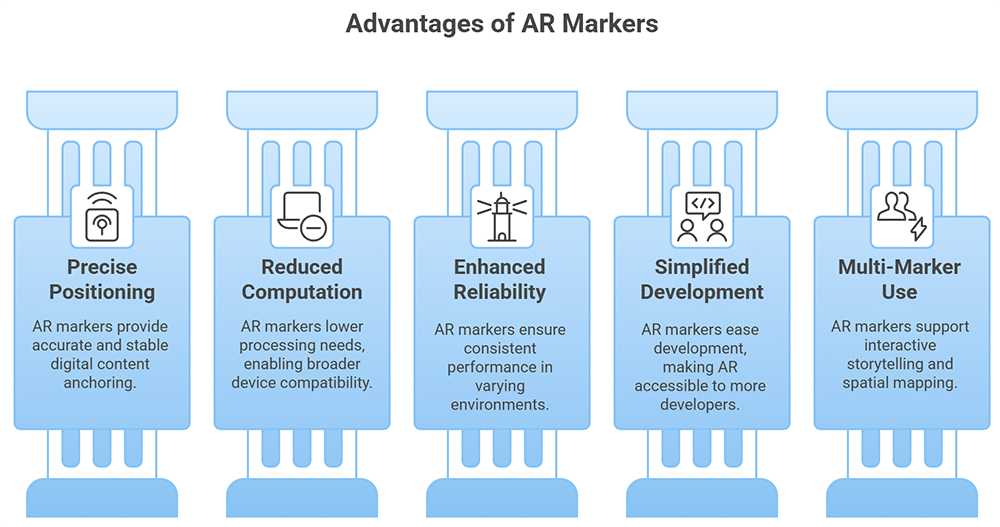
Using an augmented reality marker brings a number of benefits. The following are some of the most significant reasons to choose this technology.
1. Precise Positioning and Tracking
An AR marker essentially acts as an anchor for digital content. Identifying and using these markers is also incredibly computationally efficient thanks to modern computer vision algorithms. Standard phones and tablets can use AR apps to work with AR markers without any additional hardware or upgrades. The markers also offer additional stability to AR systems to prevent visual drift. Markers deliver a level of precision that can even reach the sub-millimeter level if needed.
Research on micro AR markers has pushed these boundaries even further. ResearchGate studies show that a 10 mm square micro augmented reality marker can achieve recognition accuracy better than ±1.0% for depth distance and 2.5° for posture angle, with a maximum recognition range of 1.0 meters and an initial detection time of just 0.7 seconds.
2. Reduced Computational Requirements
An augmented reality marker system vastly lowers AR’s processing requirements. Instead of needing to process everything in the user’s field of vision, it can concentrate on the marker as an anchor. The lowered requirements are a boon for everyone.
People can use their familiar phones and tablets without needing to buy new equipment. Developers can target a broader audience and deliver it at a faster pace. And companies are able to ensure a larger market because almost everyone can use these AR systems.
3. Enhanced Reliability Across Environments
Marker-based augmented reality is designed to ensure consistent performance even in environments where you can’t count on consistent lighting. Markerless AR systems need to hook into stable elements that can’t always be counted on in a complex environment.
However, an augmented reality marker is designed around high-contrast elements that maintain visibility even when light or weather might complicate matters. These factors make markers an essential part of any AR plan when you can’t count on the user having a specific piece of hardware that’s used in equally specific ways.
4. Simplified Development Process
Markerless AR isn’t just computationally difficult; it’s also a significant challenge for developers. AR developers who want to support markerless AR will typically need to work with complex environmental mapping algorithms.
Conversely, an augmented reality marker system can be easily leveraged into the development process. This isn’t just less work for developers either. It also lowers the bar for entry into AR development. People without significant experience in 3D math, computer vision, or even programming itself can still work with an AR system that uses markers.
5. Multi-Marker Capabilities
Multiple markers can be used at the same time with an AR system. While different augmented reality tracker systems provide different levels of support, this generally means that you can use enhanced spatial mapping through multiple markers. One of the most impressive uses for this type of AR setup can be found in interactive storytelling.
Markers can be used together to dynamically produce content for users as they traverse physical space, whether that’s moving through a room or down a hiking trail.
Best Practices for Implementing AR Markers in Your Projects
AR marker strategies require special care for a few specific elements:
- Pattern Design: An AR image marker needs unique visual elements, but is balanced by simplicity. Carefully weigh both elements to ensure optimal AR tracking.
- Size and Visibility: Your AR tag needs to be sized for its intended use. The further away the marker will be positioned, the larger it needs to be to ensure detection.
- Contrast and Lighting: Think about lighting conditions in your usage scenarios. The higher the contrast level between the augmented reality marker and its background, the easier it will be for AR cameras to detect.
- Surface Placement: An AR marker should rest on flat, non-reflective surfaces for optimal performance. A shiny or curved surface risks obscuring the identifying marks used by AR systems.
- Environmental Factors: Plan for visibility. Ensure that the markers will always be in plain sight for users during any planned event or experience.
- Cross-Device Testing: Test your augmented reality marker by using different devices with varying levels of processing power and camera quality to ensure everyone can use it.
Augmented Reality Printing: How to Bring Static Content to Life?
AR can be easily leveraged alongside standard print media through augmented reality printing. By embedding an AR marker within print media, you’re effectively widening your audience while increasing engagement. The digital component also means that it’s easy to track usage metrics in education, marketing, or any other endeavor that benefits from objective measurements.
You’ll learn the basics of AR printing, how it’s being used professionally, and how to manage an effective campaign with it in the article “Augmented Reality Printing: How to Bring Static Content to Life?”
Augmented Reality Builder Options; Building Your Digital Dreams
AR apps are easier to develop than you might assume. Augmented reality builder software is specially designed to streamline the process. Even someone with no coding experience can jump in and start creating. AR builders have let teachers, artists, and businesses all apply this powerful technology to their fields.
Discover how to choose between the top AR builder platforms, find full guides to get started with your first AR app, and more in the article “Augmented Reality Builder Options; Building Your Digital Dreams.”
Augmented reality marker strategies are an essential part of any plan that makes use of AR. Take a moment to consider what you’ve learned about this technology before you begin implementing your plan. You now know exactly what to focus on when putting together an AR campaign or event.
Did You Like This Article About Augmented Reality Markers?
You might also be interested in the following articles:
- How Augmented Reality Entertainment is Transforming Media
- How AR Scanners Are Changing the Way We Interact with Reality
- Best AR Workshops to Boost Learning Through Immersive Tech




Leave A Comment